or Choose OS Help
To search
Softonic Rating:
Very good:8/10
OS:
Symbian
S60
License:
Free
Added:
January 8, 2008
Publisher:
Website
File size:
525 KB
Downloads:
7,320
James Thornton

“Convert your N95 into a Star Wars light saber”

by James Thornton

Growing up in the Eighties, most of my pals wanted to be Luke Skywalker. None of them made it. However, these days there are so many fancy dress costumes and Star Wars toys around that it's quite easy to pretend you're a Jedi.

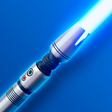
Now you can take the Force around with you wherever you go thanks to this rather fun app for the Nokia 95. The device's much-hyped 'accelerometer' allows the phone to track movements, meaning that every time you swing the device LightSaber plays the sound of the famous war stick.

The noises are pretty realistic and it features the famous swooshing sound along with the noise of two light sabers touching. There's also an illuminated screen that's great for impressing your mates in the dark (or demonstrating how sad you are to be waving around a phone and pretending it's a weapon from Star Wars).

LightSaber is a fun diversion and a good example of how the power of the N95's accelerometer can be harnessed by applications, in much the same way as the motion-sensitive controllers for the Wii work.

Ultimately, LightSaber doesn't actually serve any purpose, but it will provide endless laughs for Star Wars fans with an N95.

Languages:

English

OS requirements for LightSaber:

  • OS: Symbian

Mobile Full Series:

  • Symbian 9.1 Series 60 3rd Ed

Compatible devices:

  • Nokia N73
  • Nokia N95

Minimum requirements:

  • Nokia N95
Pros
  • Fun to use
  • Realistic light saber noises
Cons
  • Not particularly practical
Did you like this review?
31 of 47 users liked it (66%)

LightSaber Softonic Rating: 8Featured program

Softonic gives special recognition to software of exceptionally high quality. More information

From the publisher of LightSaber

That’s right, with this app, you can use your Nokia N95 as a lightsaber. Well, it makes the right sounds, anyways. Install the app (this must be on the phone’s internal memory, NOT the memory card), and then press the center button on the d-pad to power your new lightsaber on. Swing it around and you get the cool sound effects, including one for when two sabers clash.

LightSaber options

LightSaber Options

Reviews for LightSaber in other languages

Softonic Rating:Very good
6/10

User Rating

4 ratings
Usability
  • Currently 7/10.
Stability
  • Currently 4/10.
Installation
  • Currently 9/10.
Functionality
  • Currently 6/10.
Appearance
  • Currently 7/10.

Download stats

Related

Related searches

Are you the developer of LightSaber?

If your program has received a Softonic rating, feel free to use the following award badge on your site or as part of any other promotional feature you may be putting together.

LightSaber Softonic Rating

Click on the above text field to copy the necessary HTML to your clipboard and then paste it to your website. It will display your program's Softonic Rating and will link to your program page.

Any queries? Contact us if you want more info.

Close